
Step one: Install a SIM card
Note
NOTE: Your MiFi may have come with a pre-installed SIM card.
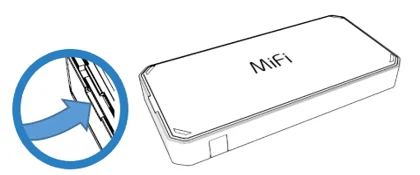
- Lift the tab at the edge of the battery cover and remove the cover.
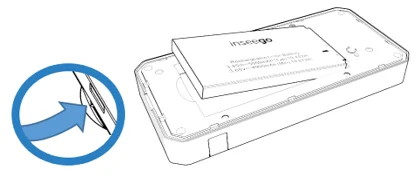
- Remove the battery from the battery well and discard the protective battery tab.
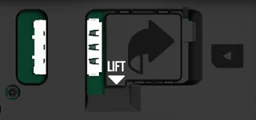
- Lift the SIM access tab from underneath the white arrow and move it to the right.
Note
NOTE: The MiFi PRO M4 supports only Nano SIM cards.
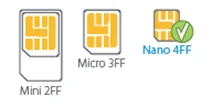
- Slide the SIM card into the slot notch first, with the contact points facing down.

- Close the SIM access tab, place the battery in the battery compartment and replace the cover. The SIM card MUST remain in the SIM card slot when in use.