
Viewing data usage
You can view data usage on the Home screen by swiping left on the InfoPanel or tap Menu > Data Usage.
Note
NOTE: The data usage information displayed is an estimate and may differ from your service provider’s data usage numbers. Always refer to your account for precise data usage information.
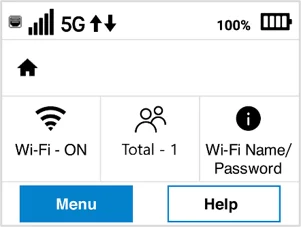
Tap Menu.
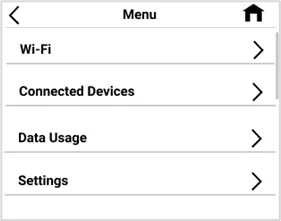
Tap Data Usage.
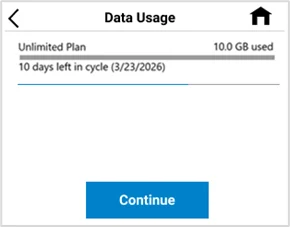
View estimated usage and plan info.
Note
NOTE: Data usage estimates may not include roaming. If roaming is on, an informational screen appears. Tap Continue for the Data Usage screen.