
The Inseego StoreOperated by A5 IT

Genuine, new Inseego 5G hardware · Business pricing & Net-30 terms

(224) 955-1644Request a quote

InseegoStore
Support
Contact us
InseegoStore

Quick Start Guide

  1. Product documentation
  2. Inseego Wavemaker™ FX4200
  3. English
  4. Quick Start Guide
In this article

Quick Start Guide

Overview
FX4200 front
FX4200 back
Indicator LEDs
Using the device display
Setting up your router
Step one: remove the battery tab
Step two: install SIM cards
Step three: power on the router
Step four: wait
Step five: connecting wireless devices
Monitoring and managing your router
Restoring factory settings
Support and more
Quick start guide (PDF)
User Guide
User guide (PDF)
Datasheet
Datasheet, AT&T

Search Inseego Wavemaker™ FX4200 Quick Start Guide

Quick Start Guide

Overview
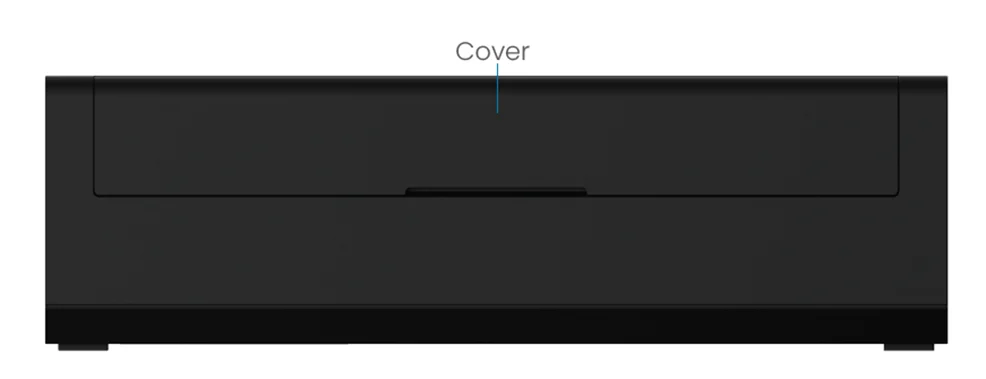
FX4200 front
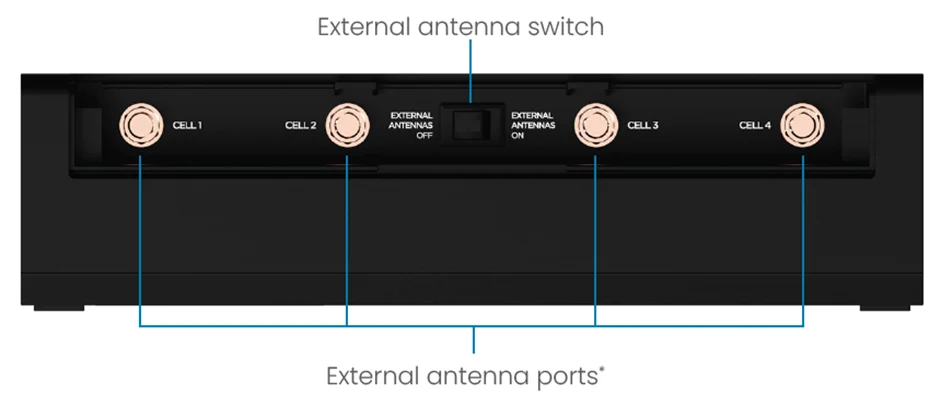
FX4200 back
Indicator LEDs
Using the device display
Setting up your router
Step one: remove the battery tab
Step two: install SIM cards
Step three: power on the router
Step four: wait
Step five: connecting wireless devices
Monitoring and managing your router
Restoring factory settings
Support and more
Quick start guide (PDF)
User Guide
User guide (PDF)
Datasheet
Datasheet, AT&T

FX4200 back

* When enabled, each external antenna port supports the full cellular frequency range of 0.6-6 GHz. To activate the external antenna ports, turn the switch to EXTERNAL ANTENNAS ON.
PreviousFX4200 frontNext Indicator LEDs

Can’t find what you’re looking for?

If you have any questions or need information about a specific product, have you tried searching our Help Center yet? Our Help Center is a comprehensive resource designed to assist you with product queries and troubleshooting.

Search Help Center
Inseego
5G hardwareMobile hotspotsFixed wireless accessEnterprise networking5G glossary
Work from anywhereRemote device managementProduct documentationContact usAbout us
Your accountOrder historyTax exemptionRequest a quoteAbout this store
Inseego newsroomInvestor relationsInseego legalInseego privacy policy
The Inseego Store

Operated by A5 IT — every order is sold, shipped and supported by A5 IT.

(224) 955-1644sales@a5it.com

© 2026 A5 Capital Partners LLC (DBA A5 IT). Inseego, MiFi, Wavemaker and Inseego Connect are trademarks of Inseego Corp. This store is operated by A5 IT; products are sold and shipped by A5 IT.