
Step one: check the LED on the device
The LED is located in the SIM compartment and is visible through the protective shield.
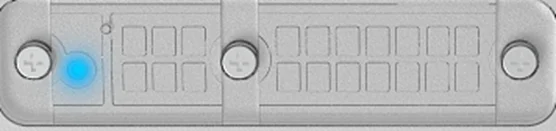
| LED color | Operation | Meaning | |
|---|---|---|---|
| Blue* | Solid Blinking | Strong 5G connection (3 – 5 bars) Weak 5G connection (1 – 2 bars) | |
| Green* | Solid Blinking | Strong 4G connection (3 – 5 bars) Weak 4G connection (1 – 2 bars) | |
| Yellow** | Solid | Software update is in progress | |
| Red | Solid Blinking | Device is booting up No service, SIM error, or locked SIM card |
| *If the LED is blue or green and the SIM appears active, but you cannot browse the internet, contact your service provider to check the status of the SIM and troubleshoot any APN issues. |
| **This color can look more lime green than yellow. |