
Resetting your X700 mesh node
You can restart or reset your Mesh Wi-Fi to factory settings using the reset button on the mesh node or from the mesh router’s admin web UI.
- Restart – reboots the node.
- Factory Reset – resets the node to factory settings.
Resetting with the reset button
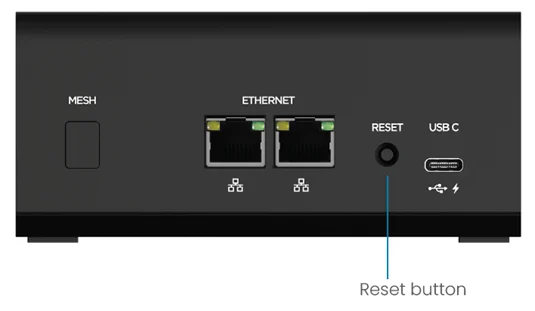
To restart your X700:
- Press the reset button for one second.
To perform a factory reset (removes pairing):
- Press and hold the reset button for five seconds.
Resetting from the admin web UI
To reset the mesh node from the mesh router’s admin web UI, select Network > Wi-Fi. In the Mesh Network section at the bottom of the page, click reboot in the Actions column.