
Demilitarized Zone (DMZ)
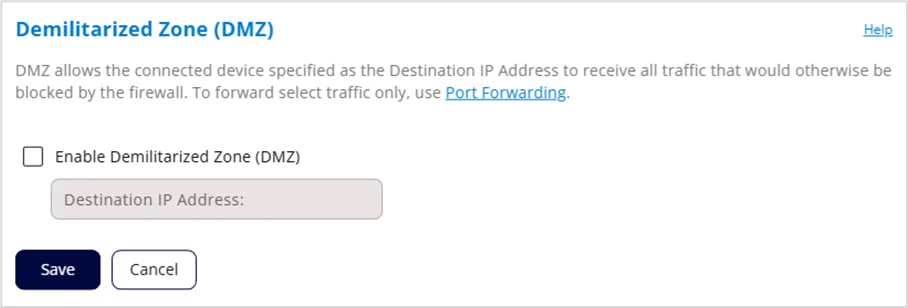
DMZ allows the connected device specified as the destination IP address to receive all traffic that would otherwise be blocked by the firewall.
NOTES:
- When IP Passthrough is turned on, DMZ capabilities are set through the connected host routing system. Settings in this section are not available. Go to Network > LAN to turn IP Passthrough off.
- To allow DMZ, you need a static IP address assigned to your line of service. Contact your service provider to set up a line of service for static IP.
- Allowing DMZ may assist some troublesome network applications to function properly, but the DMZ device should have its own firewall to protect itself against malicious traffic.
Enable Demilitarized Zone (DMZ): Check this box to allow DMZ.
Destination IP Address: Enter the IP address of the connected device you wish to become the DMZ device (the DMZ destination).
NOTE: You can see the IP address of each connected device on the Network > Devices tab.
Click Save.